What is Genjutsu AI?
Genjutsu AI is a video-to-video tool from Higgsfield that keeps a clip's motion and replaces what performs it. Our tool does the same kind of edit. You upload a 4 to 30 second clip, describe the change, and get a new version with the original movement, camera path and timing.
Genjutsu launched on September 1, 2026. Within weeks the name stood for a whole kind of edit. You film once, then change who is in the shot, where it happens or how it looks. Here it sits in the same studio as our AI influencer generator, every video model and the editor. So the new clip lands where you finish it.
Genjutsu is a Higgsfield product name. We're not affiliated with or endorsed by Higgsfield.
How it works
Run as many versions from one take as you need, then keep the one that works. The motion and camera match in every one.
Try it on your own takeMotion transfer vs swaps
Genjutsu-style editing comes in two kinds. Motion transfer keeps only the movement and rebuilds everything else. An object swap changes one selected element and leaves the rest of the shot alone.
Here you don't pick a mode first. You describe the change, and anything you don't mention stays as close to the original as possible. That covers both kinds of AI motion control in one prompt box.
| What you want | Type of edit | How to ask |
|---|---|---|
| New person, same performance | Motion transfer | "Replace her with my saved persona" |
| Same person, new place | Motion transfer | "Move it to a rooftop in the rain" |
| New look for the whole clip | Motion transfer | "Make it 90s anime" |
| New person in a new place | Motion transfer with references | "Replace him with my persona and move it to a night market" |
Swap the character
The person on screen is usually the reason a scene gets reshot. An AI character swap fixes that without a new shoot. The original performance stays, with every step, gesture and head turn, and the person performing it changes.
Pick a saved persona instead of uploading a photo. Face, hair and style carry over, so your AI influencer looks like the same person in every clip. Personas are unlimited on every plan, and you can build one with the AI influencer generator.
Want to replace a character in a video you didn't film? Get permission first. Using a real person's face without consent can break right-of-publicity laws.
Saved personas
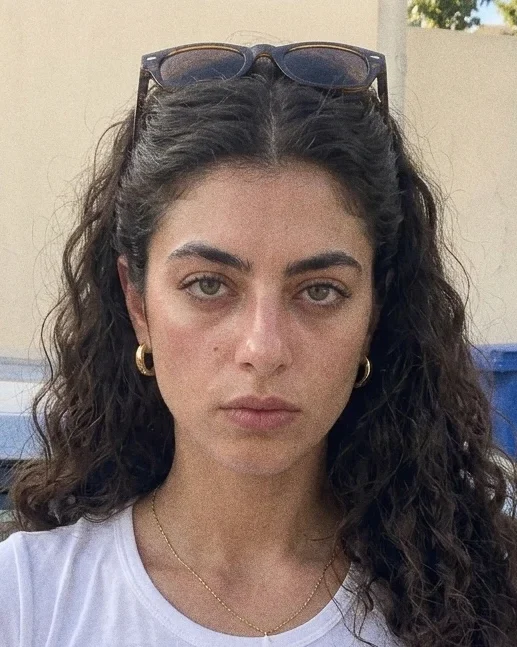 Mina Ryu
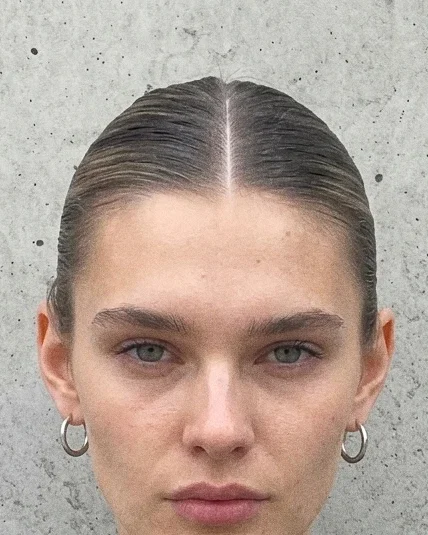 Klara Vane
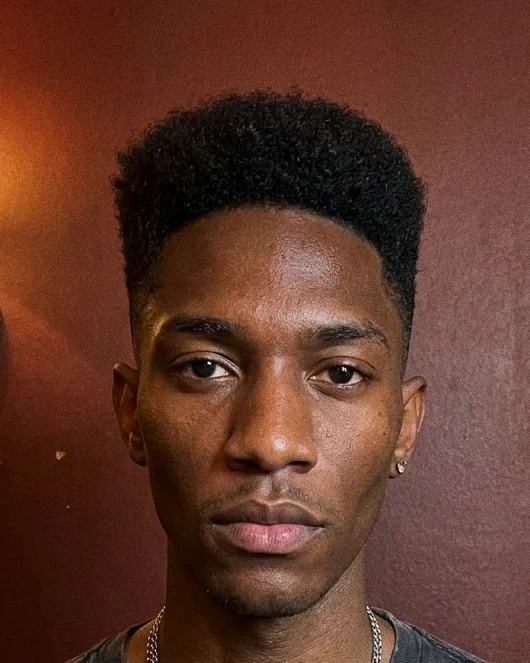 Kaito Ren
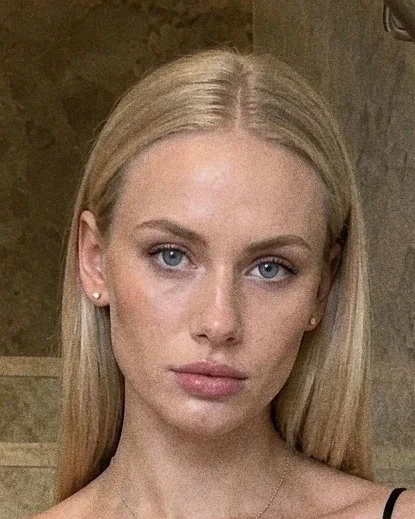 Kofi Sterling
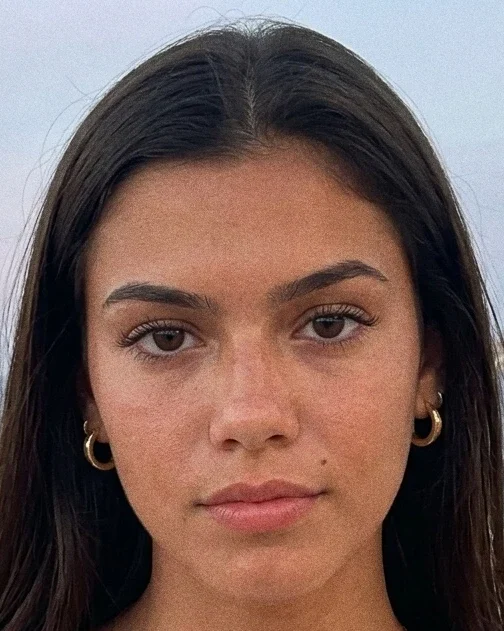 Saskia Vane
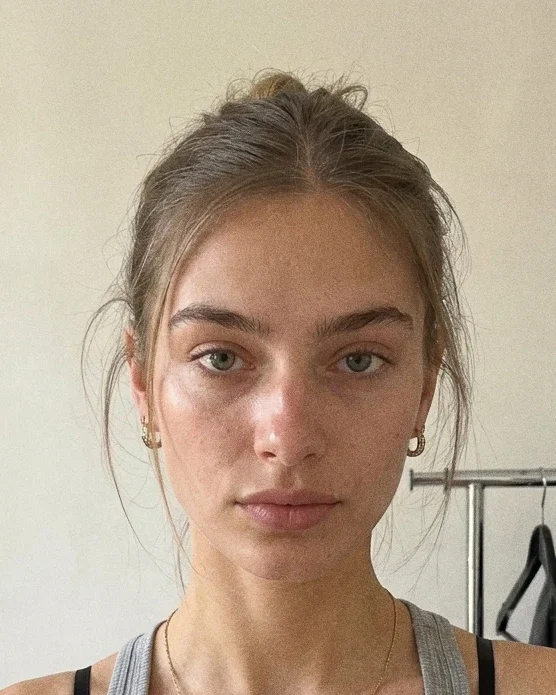 Maya Sol
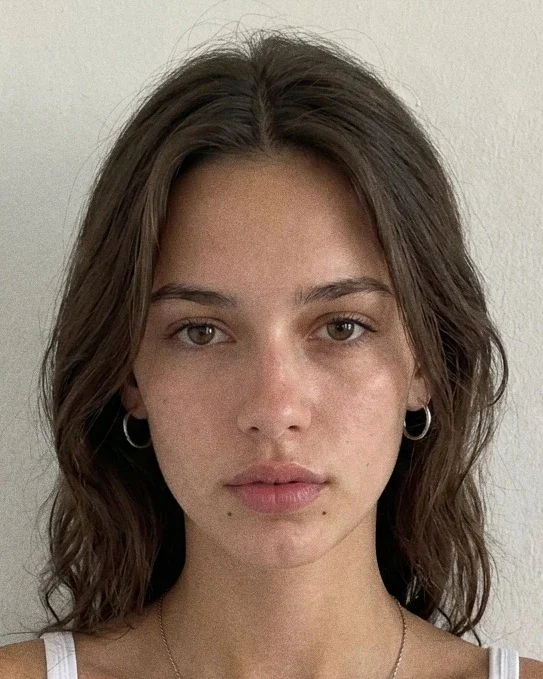 Elsa Strand
Same take, side by side
Drag to compare the original and the new version. Motion, camera and timing come from your clip, so the new take cuts straight into an existing edit.
Prompts that work
Short, specific prompts beat long ones. Start with one change per run, then combine changes once the first result looks right.
| Goal | Prompt to copy | Tip |
|---|---|---|
| Recast with a persona | Replace the woman with my persona. Keep the outfit. | Name what to keep, too |
| Move the scene | Move it to floating islands above the clouds. | Works best with a steady camera |
| Change the weather | Same rooftop, heavy rain at night. | Keeps the location, changes the mood |
| Restyle | Make it 90s anime. | One style per run |
| Restyle | Turn it into stop-motion claymation. | Short clips hold a style better |
| Change the time of day | Same street, golden hour. | Small changes keep the most detail |
| Localize | Move it to a café in Paris. | Pair with a local voiceover in the editor |
| Combine | Replace him with my persona and move it to a desert at sunset. | Try this after each change works alone |
What teams make with it
- UGC ad variations
UGC ad variations
Film one ad, then swap the creator and the setting to test several versions. Each version keeps the pacing of the original cut, so the person and the place are the only things you're testing.
Original1 of 3 - AI influencer content
AI influencer content
Put your persona into a trending motion from any 4 to 30 second clip. Pair it with Content Autopilot to plan the posts around it.
Original1 of 2 - Localized ads
Localized ads
Keep one hero ad and change the setting for each market. A café in Paris for France, a street market for Mexico, with the same camera move every time.
Original1 of 3 - Brand restyles
Brand restyles
Give an old campaign a new look without booking a new shoot. Try the looks in our eight new restyle presets first.
Original1 of 3
Start from an example
Pick a clip to open it with its prompt filled in. Each example is labeled by the change it makes: new person, new place or new style.
Why make it here
Reuse your AI influencer
Saved personas are unlimited on every plan. Pick one instead of a photo and the same face, hair and style show up in every clip you recast.
Every model on one plan
Seedance 2.0, Sora 2, Kling 3.0, Veo 3.1 and Runway Gen-4.5 come with the same plan. Generate a clip with one of them, then change the person or place here.
Finish in the editor
Cut, caption and add music in our studio editor without exporting first. The new version lands in your library, ready for the edit.
Know the cost first
Runs use credits from any plan, starting at $19 a month. You see the exact credit cost before every run, and paid plans come with a 3-day refund.
See what else the same plan covers on our Kling 3.0 and Seedance 2.5 pages.
Pick a good source clip
The source clip decides most of the result. A clear subject, steady light and a camera move that's easy to follow give the model the most to work with.
- Use one continuous shot. Edited sequences with cuts confuse the motion.
- Keep the face in view. Hands, hair or props crossing the face cause drift.
- Avoid heavy motion blur and very fast whip pans.
- Trim to the part you need. Shorter clips render faster and hold a style better.
| Problem | Likely cause | Fix |
|---|---|---|
| Face changes partway through | Face hidden or turned away | Use a saved persona or a clear front-facing reference photo |
| Part of the prompt ignored | Too many changes at once | One change per run, then combine |
| Props warp | Objects crossing the subject | Pick a take where the subject stays clear |
| New clip won't cut back in | Source was an edited sequence | Use a single take from the original footage |
Simple pricing that scales with you
Every plan includes every model, unlimited reusable personas, the studio editor and commercial rights. Plans start at $19 a month, or $15.83 a month billed yearly.
Video seconds per month
86
1,300 credits a month
650
AI images
4h
AI voiceover
2,600
credit rollover
Video generation costs 15 credits per second at every resolution. Fractional seconds are prorated and rounded up to a whole credit. A 10-second video costs 150 credits.
Genjutsu AI FAQ
What is Genjutsu AI?
+
Genjutsu AI is a video-to-video tool, launched September 1, 2026, that keeps the motion from an existing clip and changes the cast, place or look. Our tool does the same kind of edit from one prompt, with saved personas and every video model on the same plan.
Why is it called Genjutsu?
+
In Naruto, genjutsu is an illusion technique that changes what a target sees while the world stays the same. The name fits because the edit works the same way. The real movement stays, and viewers see a different person, place or style.
What's the difference between motion transfer and object swap?
+
Motion transfer keeps only the movement and camera from your clip and rebuilds everything else, like a new person or a new world. An object swap changes one element, like a product, and leaves the rest of the shot as filmed. Here you describe the change in one prompt box, and anything you don't mention stays as close to the original as possible.
How much does a run cost?
+
Each run uses credits from your monthly plan: 15 credits per second of video at every resolution, so a 10-second video costs 150 credits. Plans start at $19 a month, or $15.83 a month billed yearly. You see the exact credit cost before you start, so there are no surprise charges. Paid plans come with a 3-day refund.
How long can my video be?
+
Source clips can run from 4 to 30 seconds. One continuous shot works better than an edited sequence. Longer clips, higher output resolution and busy scenes take longer to render, so trim to the part you need first.
Can I swap only the face, or the whole person?
+
The tool replaces the whole person: face, hair, body and outfit, while the movement stays. If you only want a face replaced in a video and everything else kept, a face swap tool is the closer fit. For the whole look, pick a saved persona or add a reference photo.
Can I use my AI influencer as the new person?
+
Yes. Pick your saved persona instead of uploading a photo. The face, hair and style carry over, so your AI influencer looks like the same person in every clip, whatever motion you give them.
How long does a generation take?
+
Most runs finish in minutes. Longer clips, higher output resolution and busy scenes take more time. You can leave the page while it renders, and the finished video waits in your library.
Do I need video editing experience?
+
No. You upload a clip, say what to change and press generate. There are no masks, keyframes or tracking points to set. To cut, caption or add music afterwards, open the clip in our editor.
Is my uploaded video private?
+
Our privacy policy explains how long uploaded clips are kept, who can see them and how to delete them. Read it before you upload footage of people who haven't agreed to appear in AI edits.
Can I use the results commercially?
+
Yes. Every plan includes commercial rights. You still need to own the source clip and get permission from anyone whose face or voice appears in it. Using a real person without consent can break right-of-publicity laws.